
Find the Apps That Kill Your Shopify Store Speed
Detailed instructions for using Chrome dev tools to diagnose issues on your site.
Your store takes forever to load, customers are clicking away, and you're pretty sure it's because of all those apps you installed. But which ones are the problem?
Instead of randomly deleting apps and hoping for the best, I'm going to show you how to actually figure out what's slowing things down. No need to hire anyone or pay for fancy tools - you can do this yourself in about 10 minutes.
Why This Actually Matters
Sometimes tore speed feels like one of those things that's "nice to have" but not critical. Wrong.
Every app you install dumps code onto your site. Some are well-built and barely make a dent. Others are complete resource hogs that turn your lightning-fast store into a slug.
When your store loads slowly:
- People bounce before they even see your products
- Your conversion rate tanks
- Google pushes you down in search results
- Your paid ads become way less effective
The worst part? You might be paying monthly for the apps that are actively hurting your business.
The Chrome Detective Method
This is hands down the best way to see exactly what's happening when your store loads. Don't worry - it's way easier than it sounds.
Step 1: Go Incognito
Open a new incognito window (Ctrl+Shift+N on PC, Cmd+Shift+N on Mac) and go to your store. We do this because it clears out all your browser junk that might mess with the results.
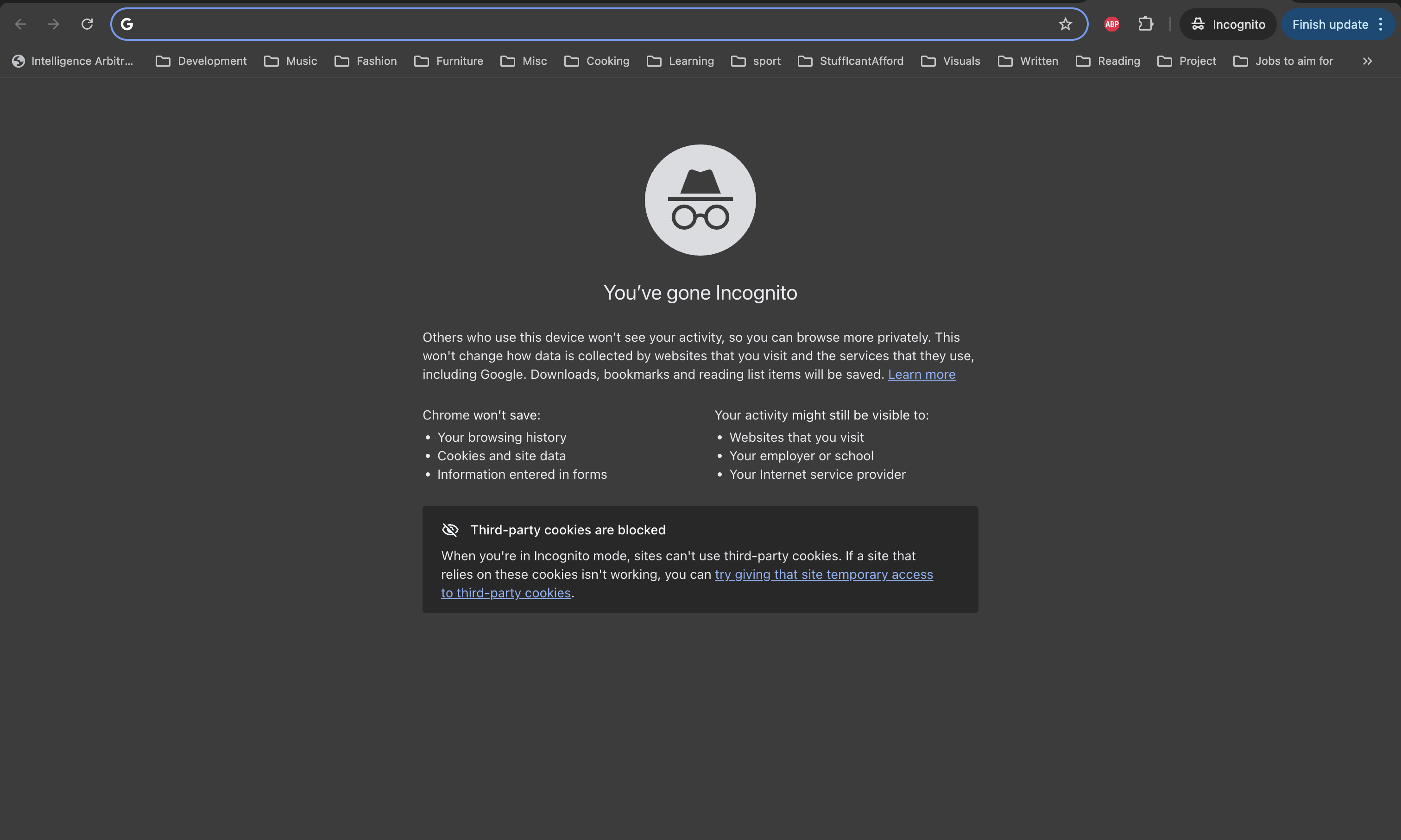 image.png
Step 2: Pop the Hood
Right-click anywhere on your page and hit "Inspect." You'll see a bunch of tabs appear - click on "Performance."
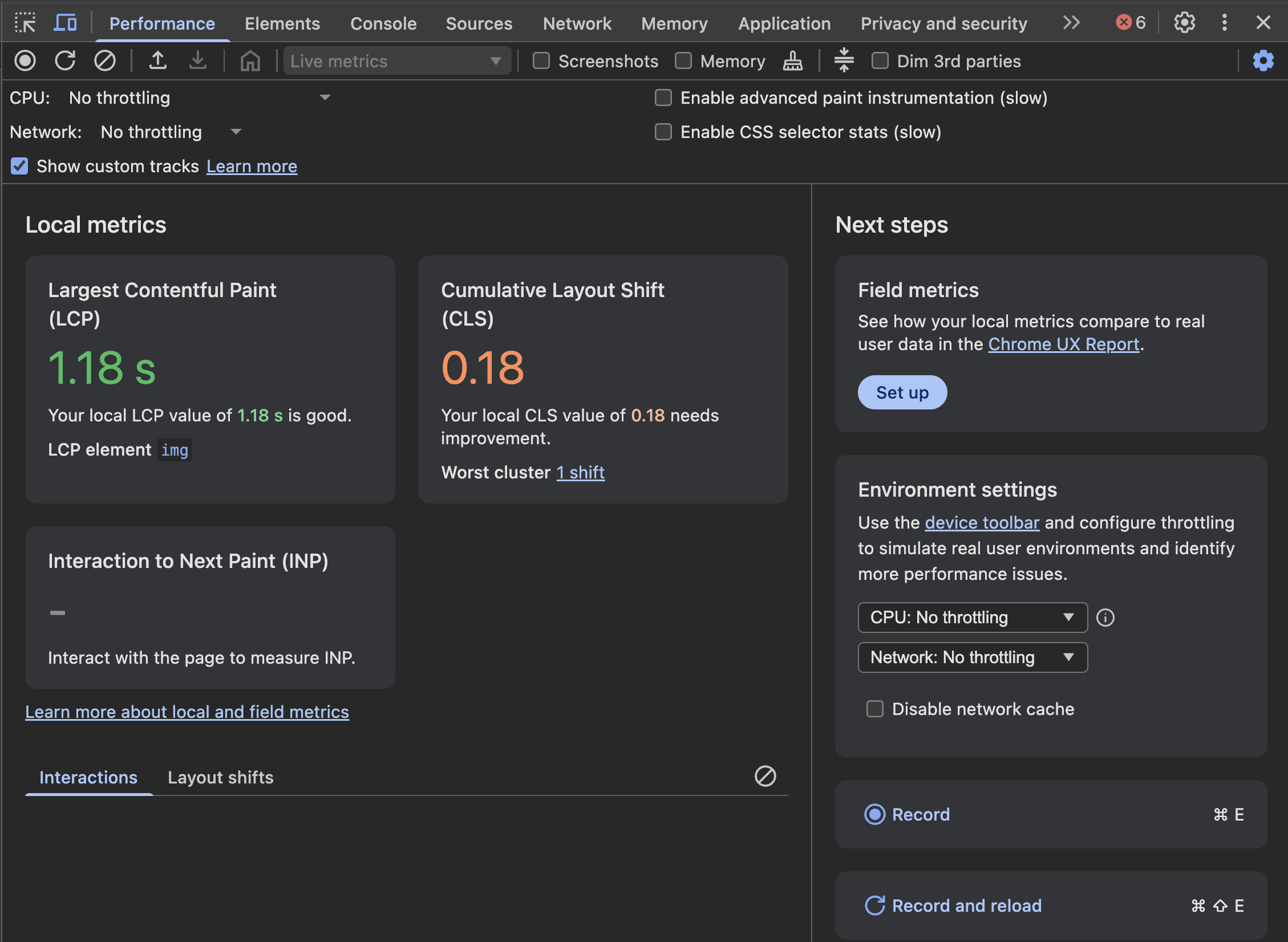 image.png
Step 3: Hit Record and Reload
Click that little record button (it'll turn red), then refresh your page. Let it fully load, then stop recording (I know it looks scary, but I promise it’s not)
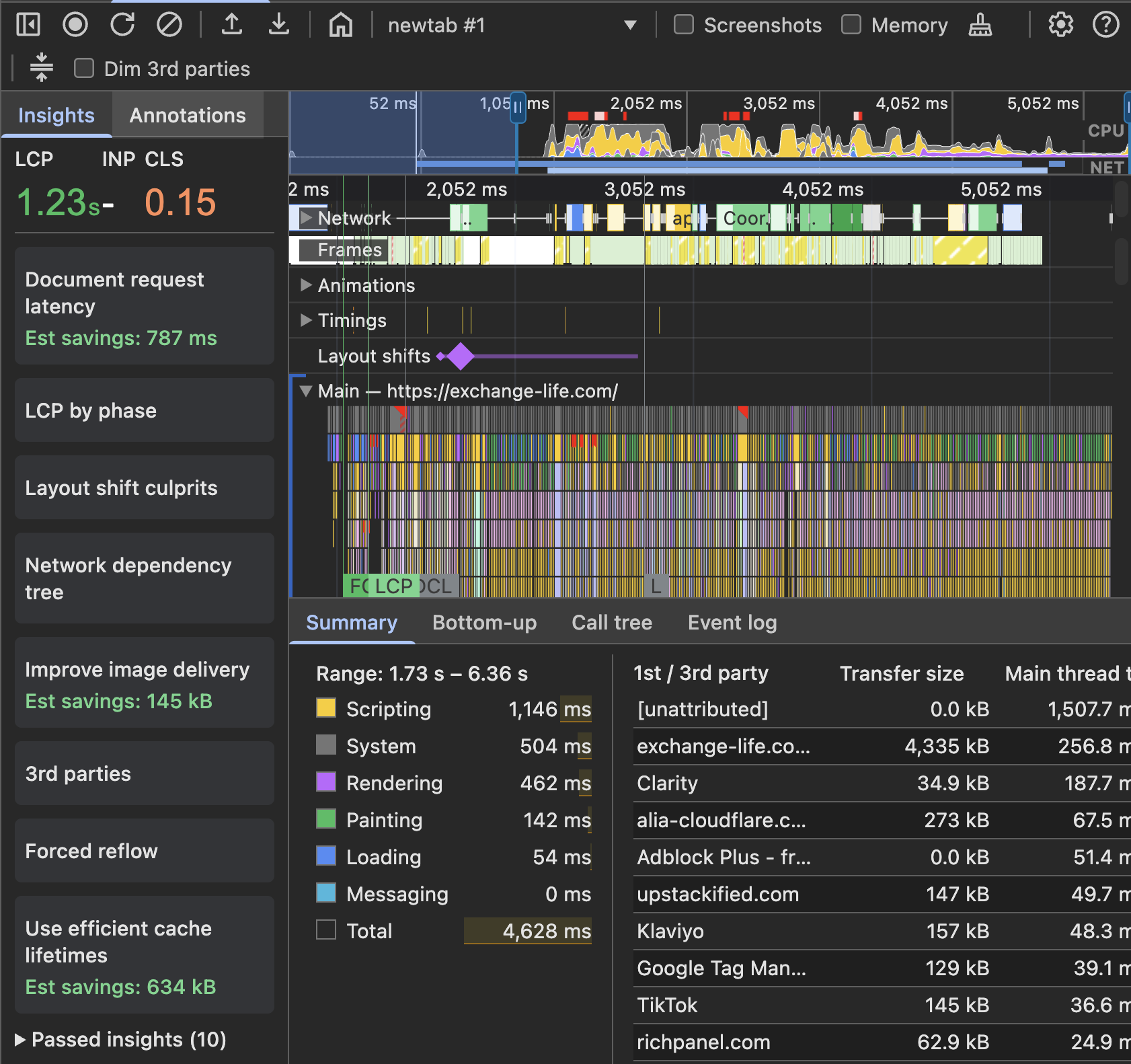 image.png
Step 4: See What's Actually Happening
Look at the summary tab and it will show how long all the scripts are taking to download and run.
You'll start seeing app names pop up. Things like "widget.reviewapp.com" or "cdn.chatapp.io." If something's taking more than 100ms or showing up multiple times, that's your smoking gun.
Organise the 3rd party tools by “Main Thread Time” and you’ll see which scripts are the heaviest.
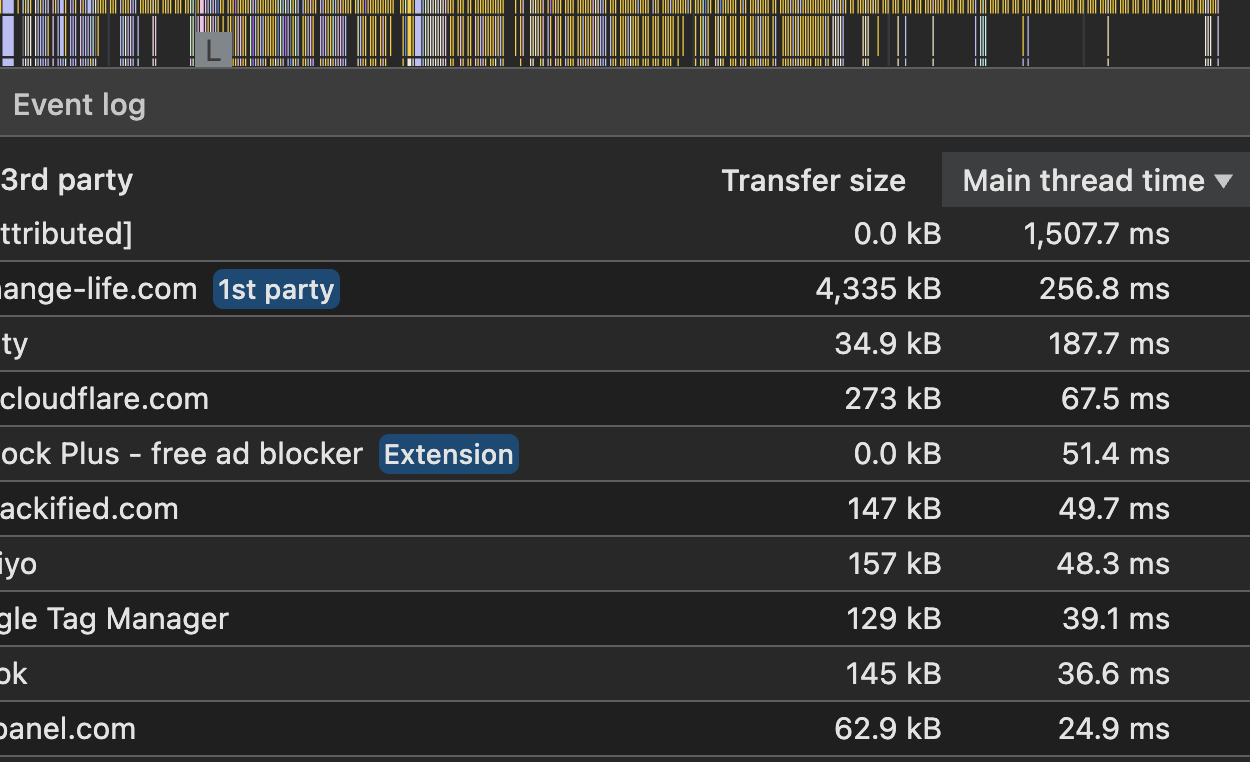 image.png
Step 5: The Network Tab Alternative
If that feels like too much, try the Network tab instead. Same setup, but click "Network" instead of "Performance."
Refresh your page and watch files load in real-time. Click the "Time" column to sort by what's taking longest. Way easier to read.
This won’t make much sense on it’s own - but you search at the top for whichever tools you saw hogging the most “main thread time”. If you see a ton of activity, or red messages - you’ve found your problem. The example below is a lot of activity btw.
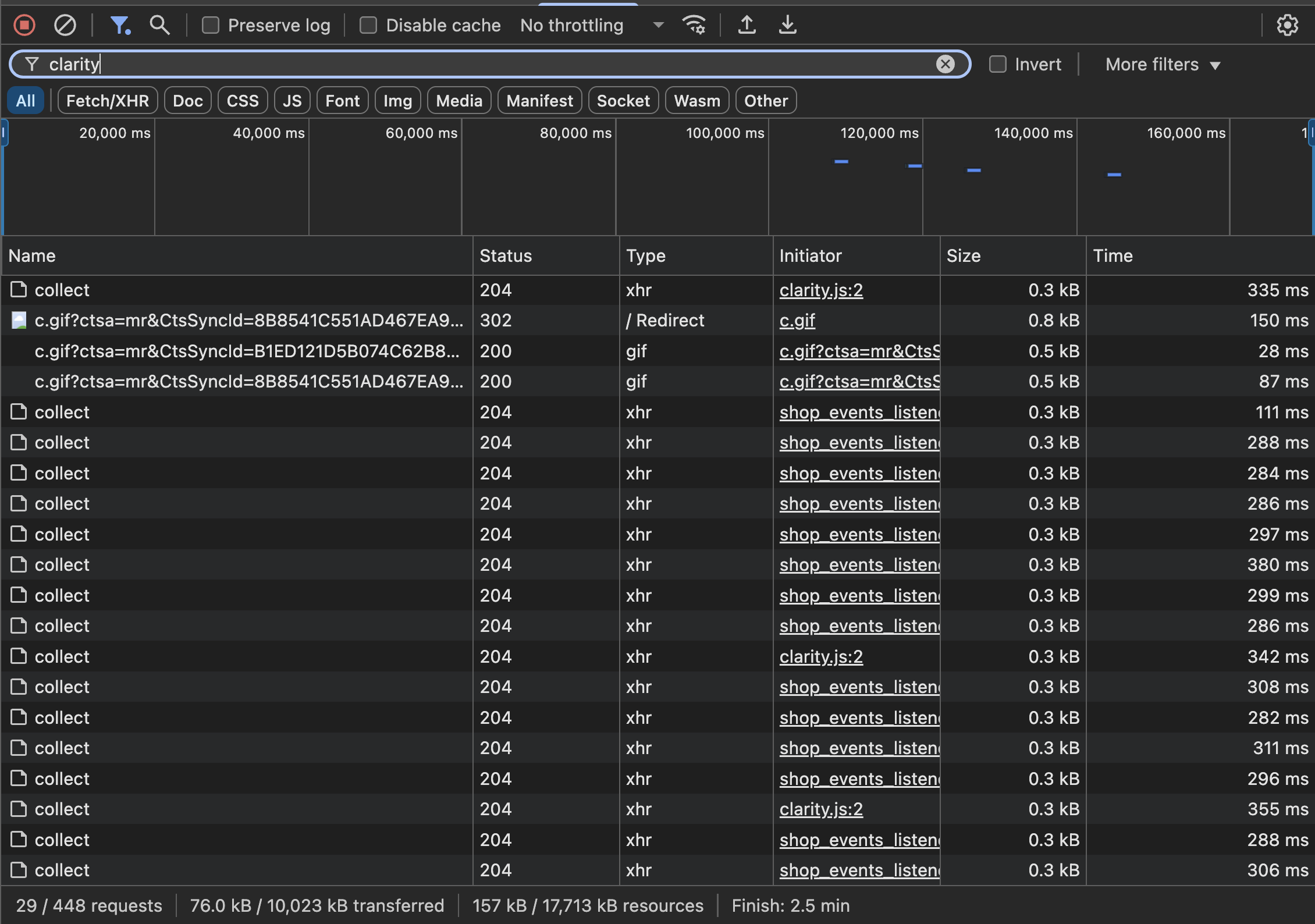 image.png
Free Tools That Don't Require Detective Work
Google PageSpeed Insights
Just go to pagespeed.web.dev, dump in your URL, and hit enter. Look at the "Opportunities" section. When it says stuff like "Remove unused JavaScript," that's usually app bloat.
GTmetrix
Free account at gtmetrix.com. Run a test and check the "Waterfall" tab. You'll see a timeline of everything loading, and the slow stuff sticks out like a sore thumb.
What to Actually Do About It
Once you know which apps are the problem:
Be Ruthless About Necessity
I see stores with 30+ apps installed. Come on. For each slow app, ask yourself:
- Does this make me money?
- Could I live without it for a week?
- Is there a simpler way to do this?
Give App Developers a Chance
Sometimes it's not the app itself but how it's configured. Most decent app developers will help you optimize things if you ask. Send them your speed test results.
Find Better Alternatives
That review app taking 3 seconds to load? There's probably a faster one. That live chat widget that's a resource hog? Maybe you need a different one, or maybe you don't need it at all.
The Nuclear Option
Delete apps you're not using. Seriously. I've seen stores speed up dramatically just by removing apps that weren't even active but were still loading code.
The Usual Suspects
From working on hundreds of stores, these categories tend to be the biggest speed killers:
Usually Heavy:
- Live chat widgets (especially the fancy ones)
- Review apps with tons of reviews
- Currency converters
- Pop-ups and email capture tools
- Social media feeds
Usually Fine:
- Simple analytics apps
- Basic SEO tools
- Inventory management
- Simple product recommendation widgets
Stuff That Actually Works
Test different pages, not just your homepage. Your product pages might have different apps loading.
Test on mobile using Chrome's device simulator. Mobile performance is often worse.
Compare your results to competitors. Run the same tests on stores you admire to see what "good" looks like.
Don't change everything at once. Remove one app, test, see what happens. Then move to the next one.
When to Call in the Pros
If you've got a bunch of essential apps that are all slow, or if you're dealing with custom code mixed in with apps, it might be time to hire someone. But honestly, most speed issues are pretty obvious once you know where to look.
The Real Talk
Every second matters. A 1-second delay can kill 7% of your conversions. That's not some abstract number - that's real money walking out the door.
The good news? This isn't rocket science. Spend 10 minutes figuring out what's slow, be honest about what you actually need, and start making changes. Your customers will notice, and your bank account will too.
Stop guessing and start measuring. Your store speed is fixable, and you don't need to be a developer to fix it.